DKIM Validation and Key Monitoring for Email Security
Monitor your DKIM selectors, validate key strength, and track signing success rates across all your sending services.
What Is DKIM?
DKIM (DomainKeys Identified Mail) adds a cryptographic signature to every outgoing email. The receiving server uses a public key published in your DNS to verify the message hasn't been tampered with in transit.
Each signing service (Gmail, Amazon SES, Mailchimp, etc.) uses its own selector — a label that tells receivers where to find the corresponding public key. Managing multiple selectors across services can get complex quickly.
SenderClarity discovers your DKIM selectors from DMARC report data, validates the keys, and alerts you to weak keys, missing records, or alignment failures — so you can fix issues before they impact deliverability.
How DKIM Signing Works
- 1 Sending server signs the message with a private key
- 2 Signature added to the email header with selector reference
- 3 Receiver looks up the public key via DNS using the selector
- 4 Signature verified — message integrity confirmed
DKIM Key Monitoring
Every selector tracked. Every key validated. Every failure explained.
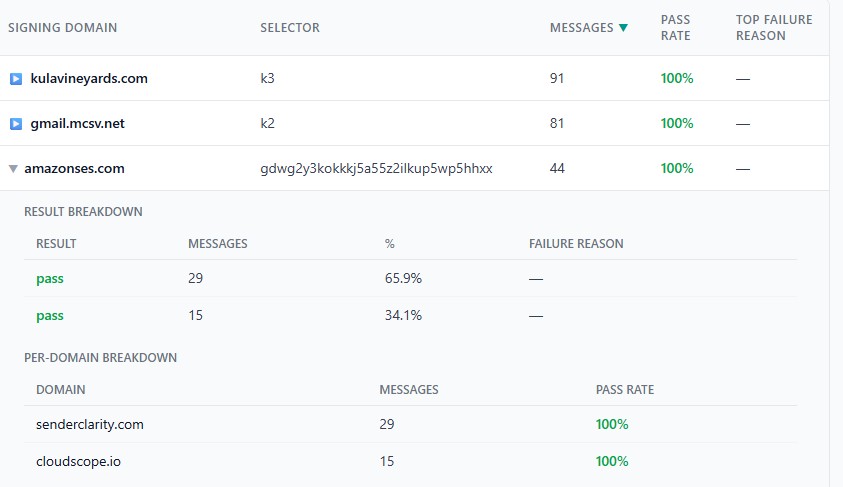
Signature Verification from DMARC Data
See which selectors are signing successfully — and which are failing — using real-world DMARC report data.
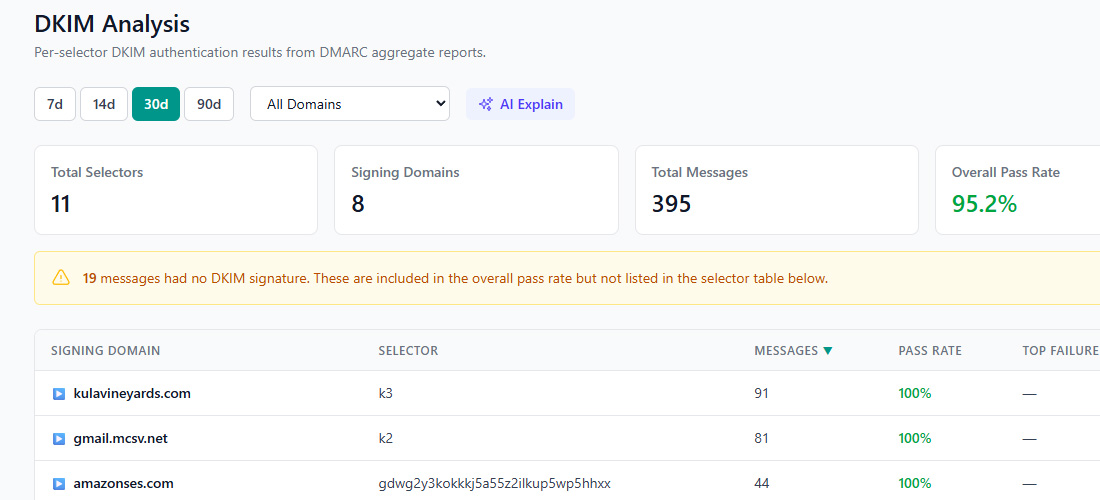
DKIM Validation Features
Key Discovery
Selectors discovered automatically from DMARC aggregate report data — no manual configuration needed.
Rotation Monitoring
Track key rotation across selectors. Get alerted when old keys are still in use or new keys aren't being picked up.
Bit-Length Validation
Flag keys shorter than 2048 bits. Weak keys (1024-bit or less) are increasingly rejected by major providers.
Selector Management
View all selectors per domain in one place — organized by service, with status and last-seen timestamps.
Alignment Checking
Verify DKIM signatures align with the From domain for DMARC compliance — strict or relaxed mode.
Failure Alerts
Instant notifications when DKIM keys go missing, expire, or start failing verification.
DKIM Best Practices
Follow these guidelines to keep your email signatures strong and reliable.
Use 2048-bit Keys or Stronger
1024-bit RSA keys are considered weak. Google and other providers increasingly require 2048-bit keys for DKIM to pass. Upgrade keys across all your sending services.
Rotate Keys Regularly
Rotate DKIM keys at least every 6–12 months. Publish the new key before switching your signing configuration, and keep the old key active briefly to cover messages in transit.
Sign with a Domain-Aligned Selector
Ensure the d= value in your DKIM signature matches (or is a subdomain of) your From address domain. Misalignment means DKIM won't count toward DMARC.
Enable DKIM for Every Sending Service
Every service that sends email on your behalf (CRM, helpdesk, marketing tools) should have DKIM configured. SenderClarity's DMARC reports reveal which services lack proper DKIM signing.
Monitor After Changes
After key rotation or DNS changes, monitor DMARC reports closely for a few days. SenderClarity will alert you if DKIM pass rates drop unexpectedly.
Keep Your DKIM Keys Secure and Verified
Automatic selector discovery, key validation, and failure alerts — included in every plan. Free tier available.